

Takeaways
- Tactiq enhances meeting productivity by offering real-time transcription services and AI-generated insights.
- Seamlessly integrates with popular video conferencing tools, supporting over 30 languages.
- Features include speaker identification, visual enhancements, and export options for easy documentation.
- Versatile for various use cases, from project management to educational settings and content creation.
- Widely appreciated for its simplicity and efficiency, with positive feedback highlighting time-saving capabilities.
Tactiq Overview
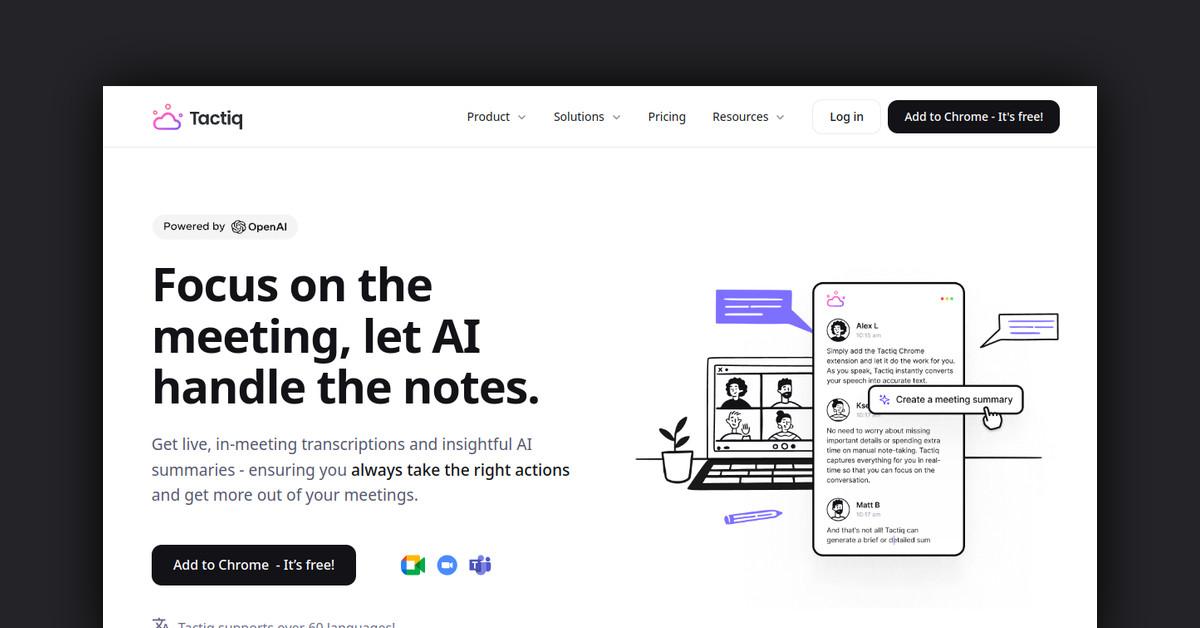
In today’s fast-paced digital world, effective communication during meetings is crucial. Tactiq emerges as a powerful tool designed to enhance meeting productivity by providing real-time transcription services. By automating note-taking and post-meeting tasks, Tactiq allows participants to focus on the conversation rather than struggling to jot down notes. This tool not only transcribes meetings live but also simplifies follow-ups with AI-generated insights and summaries. Trusted by modern companies globally, Tactiq offers a seamless way to remember, understand, and act on meeting discussions.
How Tactiq Works
Tactiq operates by integrating with popular video conferencing tools to deliver real-time transcription services. Once a meeting begins, Tactiq automatically starts transcribing the conversation, providing users with a live, bot-free transcription window. This functionality allows participants to choose from over 30 languages, enhancing accessibility for international teams. Moreover, Tactiq identifies speakers, ensuring clarity in understanding who said what, and allows users to take screenshots to enrich the transcription with visual context.
Features, Functionalities, and Benefits of Tactiq
Tactiq is packed with features that streamline the meeting transcription process. By providing a comprehensive set of tools, it ensures that teams can focus on their discussions without missing any important details.
- Real-Time Transcriptions: Tactiq offers live transcription, providing a non-intrusive window displaying the conversation as it happens.
- Speaker Identification: The tool distinguishes between different speakers, making it easier to attribute statements and action items to the right participants.
- Multi-Language Support: With support for over 30 languages, Tactiq accommodates diverse teams and international meetings.
- Visual Enhancements: Users can take screenshots during meetings to add context to the transcriptions, capturing important slides or visual references.
- Tags and Labels: To organize and prioritize information, Tactiq allows users to add tags and labels to the live transcript, highlighting key action items, decisions, and questions.
- Export Options: Transcriptions can be exported in various formats such as PDF and TXT, facilitating easy documentation and sharing.
- Participation Metrics: After meetings, Tactiq provides speaker participation stats, giving insights into the most active contributors.
- Integration Capabilities: Seamlessly integrates with tools like Google Meet, Microsoft Teams, and Zoom, ensuring compatibility with popular meeting platforms.
Use Cases and Potential Applications
Tactiq is versatile, meeting the needs of different users and scenarios. It is particularly useful for teams that require detailed records of discussions, such as project management, legal teams, and educational institutions.
- Project Management: Keeps track of action items and project milestones by generating summaries and creating Jira or Linear tickets.
- Educational Settings: Facilitates lecture transcriptions, helping students and educators maintain comprehensive records of class discussions.
- Corporate Meetings: Ensures all stakeholders, including remote participants, are aligned by sharing detailed meeting transcripts and summaries.
- Content Creation: Assists content creators by providing accurate meeting transcriptions that can be used as references for articles, blogs, or other content pieces.
Who is Tactiq For?
Tactiq caters to a wide range of professionals who aim to enhance their meeting productivity and documentation process.
- Solopreneurs: Ideal for individuals managing their own businesses, providing a time-saving tool that captures every detail of a meeting.
- Project Managers: Helps project managers keep track of discussions and decisions, ensuring that nothing falls through the cracks.
- Product Managers: With its integrations and AI capabilities, Tactiq boosts the productivity of product managers by aligning team priorities and project goals.
- Teams and Enterprises: Suitable for teams of all sizes, Tactiq ensures clear communication and documentation across departments.
What Customers Are Saying
Tactiq has received positive feedback from users who appreciate its simplicity and efficiency. With over 2,200 reviews on the Chrome Web Store, users highlight its usefulness in various languages and its ability to save time during meetings.
- Users commend Tactiq for its ability to handle multiple languages effectively, maintaining the flow of conversations.
- Many appreciate the summarizing feature, which ensures that everyone leaves the meeting with a clear understanding of discussed points and agreed actions.
- The tool is often described as a critical asset for enhancing productivity and efficiency in meetings.
Useful Links and Resources
To explore Tactiq further, here are some useful links that provide additional information and resources:
Tactiq stands out as an indispensable tool for anyone looking to enhance the effectiveness of their meetings through real-time transcription and AI-powered insights, making it a must-have for modern professionals.
Last Updated: