

Takeaways
- VocalRemover uses AI technology to separate vocals and instrumentals in audio tracks, offering karaoke and acapella versions.
- It provides additional features like isolating specific instruments and processing movie soundtracks.
- The tool benefits music producers, karaoke enthusiasts, DJs, and media professionals for various audio editing needs.
- VocalRemover offers monthly and one-time purchase plans, catering to different user requirements with flexibility.
- Positive user feedback highlights its efficiency and quality, with 24/7 customer support and API integration options.
VocalRemover: Unveiling the Power of Audio Isolation
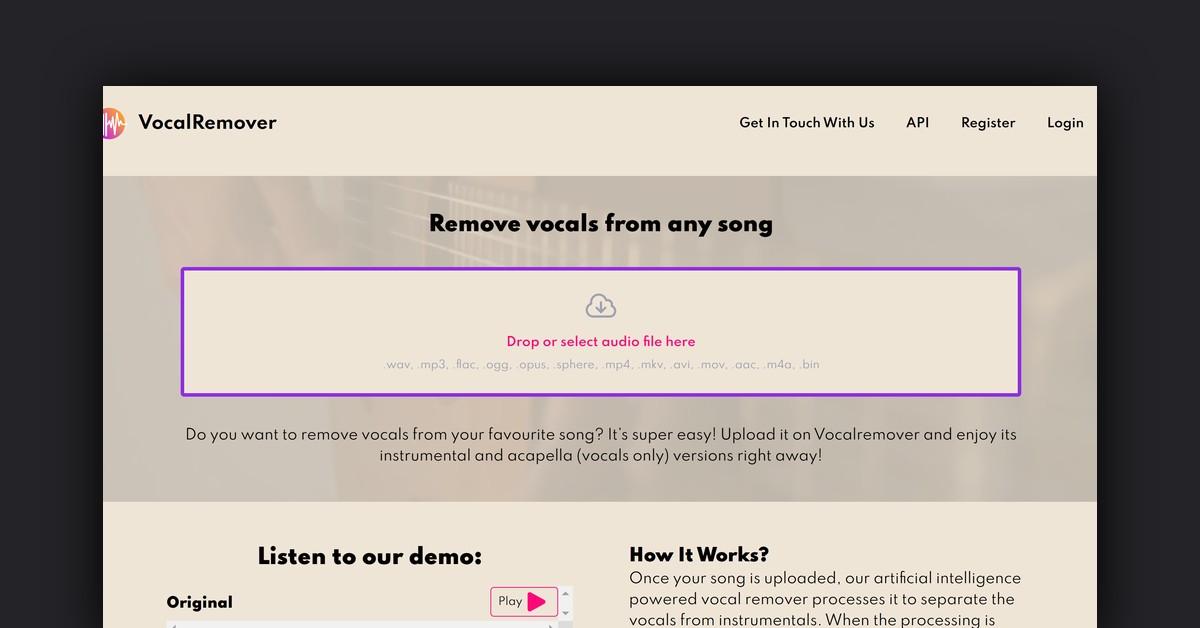
VocalRemover is a cutting-edge tool designed to revolutionize the way you interact with audio tracks. This online service allows users to easily separate vocals from instrumentals, providing an effective solution for creating karaoke versions or acapella tracks. With its user-friendly interface and robust features, VocalRemover is gaining traction among music enthusiasts, professionals, and hobbyists alike.
How Does VocalRemover Work?
At the core of VocalRemover is advanced artificial intelligence technology. This AI-powered system processes uploaded songs to meticulously separate the vocals from the background instrumentals. Once the processing is complete, users receive two distinct outputs: a karaoke version with the vocals removed and an acapella version with only the vocals.
This precise separation ensures that users can enjoy lossless sound quality, making the tool ideal for both personal and professional use. The conversion process is swift, often taking just a few minutes, which adds to the tool's appeal.
Features, Functionalities, and Benefits of VocalRemover
VocalRemover offers a range of features that extend beyond simple vocal isolation, making it a versatile tool for various audio editing needs.
- Vocal Separation: Easily extracts vocals from any music track.
- Instrumental Separation: Provides an instrumental version by removing vocals.
- Bass, Drums, and Piano Separation: Isolates specific instruments for more detailed audio editing.
- Karaoke Creation: Perfect for creating karaoke tracks for personal or professional use.
- Movie Processing: Useful for isolating soundtracks from movie files.
- DJ Mixes: Ideal for DJs looking to create unique mixes by extracting specific elements from tracks.
Use Cases and Potential Applications
VocalRemover offers numerous applications across different fields, enhancing its utility for various users.
- Music Production: Producers can use VocalRemover to remix songs or create instrumentals.
- Karaoke Enthusiasts: Create karaoke tracks effortlessly from favorite songs.
- DJs: Extract specific instruments or vocals to create custom mixes.
- Film and Media: Isolate soundtracks from films to use them in different projects.
Who Can Benefit from VocalRemover?
VocalRemover is designed to cater to a wide range of users, each benefiting from its specific features.
- Music Producers: Enhance production capabilities with easy audio separation.
- Karaoke Lovers: Access to a vast library of karaoke-ready tracks.
- DJs: Simplify the process of creating unique mixes.
- Media Professionals: Extract and manipulate soundtracks for creative projects.
Plans and Pricing
VocalRemover offers several pricing plans to suit different user needs, providing flexibility and affordability.
Monthly Subscription Packages
- Premium: 140 minutes for $22.99/month ($0.16 per minute) with 500GB storage and priority queue.
- Standard: 80 minutes for $15.49/month ($0.19 per minute) with 100GB storage and priority queue.
- Enterprise: Tailored solutions for larger projects.
One-Time Purchase Packages
- Small: 140 minutes for $21.07 total ($0.15 per minute) with 30 days of file storage.
- Standard: 350 minutes for $42.16 total ($0.12 per minute) with 30 days of file storage.
- Premium: 800 minutes for $84.33 total ($0.11 per minute) with 30 days of file storage.
Support and Customer Service
VocalRemover provides 24/7 customer support to ensure users receive personalized and outstanding service. Users can reach out via the contact page for assistance with any issues or inquiries.
Integrations and API Access
VocalRemover offers API access, allowing seamless integration with other applications or systems. This feature is particularly beneficial for enterprise users who require high-volume processing.
Customer Reviews and Feedback
VocalRemover has received positive feedback from its users, highlighting its efficiency and audio quality.
- Sandra S.: Praised the tool for its fast and efficient vocal isolation, making it her go-to solution.
- Ahmed: Found it useful for personal projects, noting variability in results depending on source material.
- Martin K.: Appreciated the tool's capability in enhancing music tracks, despite it not being a one-size-fits-all solution.
Frequently Asked Questions
How Are Conversion Minutes Calculated?
Conversion minutes are based on the total length of audio or video files you process. For instance, a package with 10 minutes allows for multiple file conversions as long as their combined length doesn't exceed this limit.
How Long Are My Files Stored?
Files are stored indefinitely as long as storage space in your subscription is available. Sample files are stored for 3 days, while one-time users' files are kept for 30 days.
Is There a Free Option?
VocalRemover offers free conversions for up to 30 seconds of any song, allowing users to test the quality before purchasing a full version.
Useful Links and Resources
For more information on VocalRemover, including pricing and support, visit the following links:
VocalRemover continues to be a valuable tool for those looking to explore the world of music and audio editing, providing a comprehensive suite of features to meet diverse needs.
Last Updated: September 27, 2025