

Takeaways
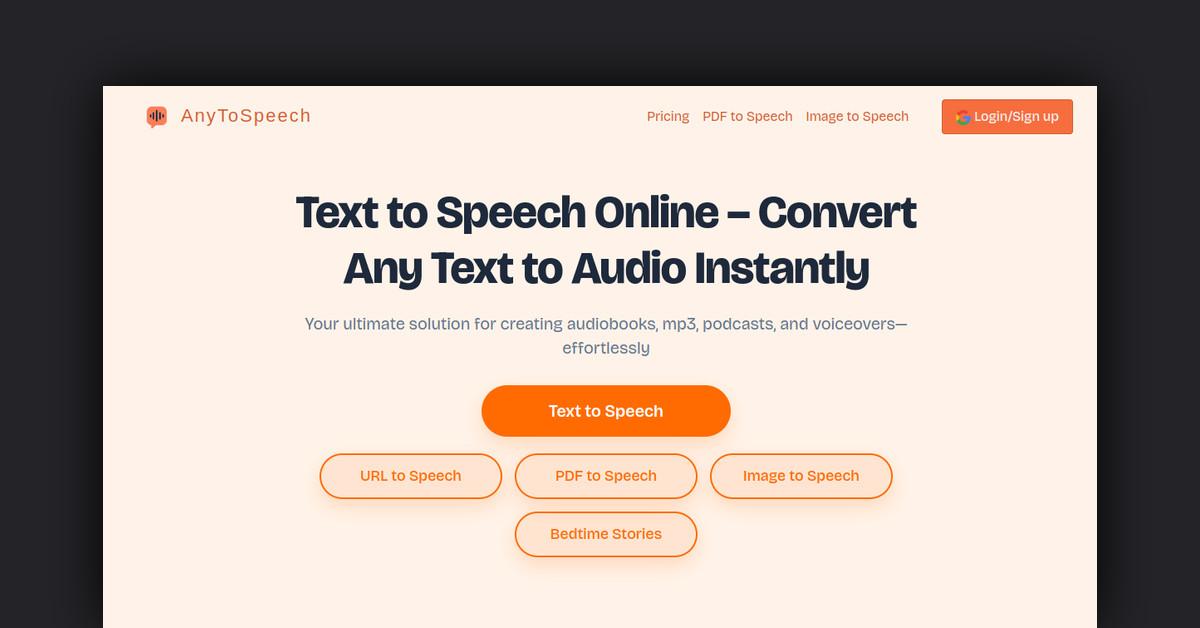
- AnyToSpeech converts text, PDFs, images, and URLs into natural-sounding audio.
- Offers multiple voice options and styles for personalized audio output.
- Features include PDF to audio, image text extraction, and a Chrome extension.
- Serves various applications like education, content creation, and accessibility.
- Provides multiple pricing plans, including a free trial with limited features.
Overview of AnyToSpeech
AnyToSpeech is an innovative text-to-speech platform designed to transform written content into audio. Ideal for creating audiobooks, podcasts, and voiceovers, it offers a seamless way to convert text, PDFs, images, and URLs into natural-sounding speech. With its user-friendly interface and a variety of customizable features, AnyToSpeech caters to a wide range of users, from casual listeners to professional content creators.
How Does AnyToSpeech Work?
AnyToSpeech operates by leveraging advanced AI technology to convert text into speech. Users can simply upload their text, PDF, image, or URL, and the system processes the content to produce an audio file. The platform provides multiple voice options and styles, allowing users to tailor the audio output to their preferences. The resulting speech can be downloaded as an MP3 file for offline listening.
Features, Functionalities, and Benefits
AnyToSpeech is packed with features that enhance user experience and provide flexibility in audio content creation. Here’s a closer look at what it offers:
- Multiple Voice Options: Choose from a variety of voices such as Alloy, Ash, Coral, and more.
- Narrator Styles: Options include “Patient Teacher,” “Smooth Jazz DJ,” and “True Crime Buff,” among others.
- PDF to MP3 Conversion: Effortlessly convert PDF documents into audio, skipping page numbers, footnotes, and tables of contents for a smoother listening experience.
- Image to Speech: Extract text from images and convert it to audio, supporting formats like JPG, PNG, and GIF.
- URL to Speech: Turn any webpage content into audio, perfect for listening to articles and blogs on the go.
- Chrome Extension: A free tool that allows one-click conversion of web pages to speech directly from the browser.
Use Cases and Potential Applications
AnyToSpeech is versatile and can be applied in various scenarios, catering to different needs:
- Education: Enhance learning by converting textbooks and study materials into audio for easy listening.
- Content Creation: Bloggers and YouTubers can generate voiceovers for videos and podcasts without needing a microphone.
- Accessibility: Make content accessible to visually impaired users by converting written material into speech.
- Leisure: Convert bedtime stories into audio for children, offering a magical storytelling experience.
- Professional Use: Ideal for busy professionals who want to listen to documents or articles during commutes.
Who Is AnyToSpeech For?
AnyToSpeech caters to a diverse audience, each benefiting in unique ways:
- Students and Educators: Use it to convert study materials into audio for enhanced learning.
- Content Creators: Bloggers, podcasters, and YouTubers can use it to create engaging audio content.
- Professionals: Busy individuals can listen to documents and articles while multitasking.
- Visually Impaired Users: Access written content through auditory means, improving accessibility.
Plans and Pricing
AnyToSpeech offers several pricing plans to accommodate different user needs:
- Free Plan: Offers up to 15 seconds of audio, 1,000 characters, and one audio per day with commercial use.
- Standard Plan: Priced at $14/month, provides 100 minutes of audio, 100,000 characters, and no daily limits.
- Pro Plan: At $69/month, allows for 16 hours of audio and 1,000,000 characters, ideal for heavy users.
Is It Free? Is There a Free Trial?
Yes, AnyToSpeech offers a free plan that allows users to try the service without any cost. This plan includes limited features, making it perfect for testing the platform’s capabilities before committing to a paid plan.
What Type of Support Is Available?
AnyToSpeech provides 24/7 support to assist users with any queries or issues. Their support team is accessible via live chat, ensuring prompt assistance and customer satisfaction.
Customer Reviews and Feedback
AnyToSpeech has been positively received, with users praising its ease of use and the natural quality of its AI voices. The platform has processed over 33,046 conversions, indicating widespread adoption and satisfaction among its user base.
Frequently Asked Questions
- How do I convert a PDF to MP3? Use the PDF to MP3 converter, upload your file, and select your preferred voice to start the conversion.
- What file formats are supported? AnyToSpeech supports plain text, PDF, DOCX, and TXT formats.
- Can I customize the voice for conversions? Yes, users can choose from multiple voices and styles to personalize their audio output.
Useful Links and Resources
Explore the world of audio conversion with AnyToSpeech and experience content in a whole new way.
Last Updated: