
Overview of AudioNotes - The AI-Powered Note Taking App That Boosts Your Productivity
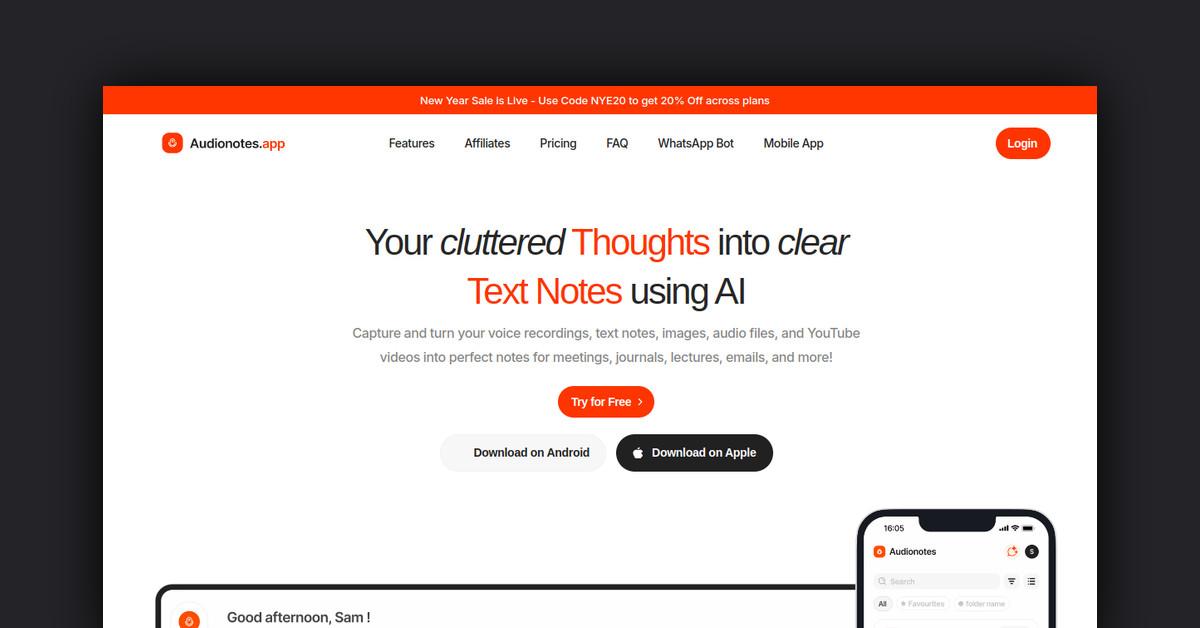
Audionotes is an AI-powered note taking app that allows users to record voice notes, upload audio files, or create text notes. It then summarizes the notes into structured text using AI. The app helps users unleash their productivity by streamlining the note taking process.
Some key features and benefits of Audionotes include:
- Record voice notes or upload audio files
- Create text notes
- AI summarizes notes into easy-to-read structured text
- Edit transcripts and summaries
- Generate content like emails, social media posts, meeting minutes, etc.
- Organize notes with tags and favorites
- Share notes easily
- Available as a web app and lightweight mobile app
- Offers free and paid plans
How Does It Work?
The app works in three simple steps:
1. Record, Upload or Write
Users can easily record voice notes directly in the app. They can also upload audio files like MP3, WAV, MP4 up to 50MB each. Or they can create text notes by typing or copying and pasting text.
2. AI Summarizes
Audionotes uses AI to automatically generate a transcript of the audio. It then summarizes the transcript into structured text bullet points in the desired language, style and length.
3. Edit and Organize
Users can edit the transcript and summaries if needed. They can also tag, favorite, and search notes to stay organized.
Key Features and Benefits
Streamlined Note Taking
Audionotes streamlines the note taking process by allowing quick voice notes or uploads instead of tedious typing. The AI-powered summaries save time over having to manually summarize notes.
Super Summaries
The app generates professional looking summarized notes in the desired language, style (concise, expanded, etc.) and length.
Generate Unlimited Content
Turn notes into emails, social media posts, meeting minutes, and more with just one click. Custom prompts allow generating custom content.
Smart Transcripts
Transcripts automatically detect speakers for clearer conversations. Users can also customize the transcript with an "incorrect word" list.
AI Assistant
Chat with notes using contextual Q&A. Search all notes at once with the Magic Chat assistant feature.
Organize Notes
Tag, favorite, and search notes. Set reminders. Easily find notes later.
Share Notes
Public shareable links allow seamlessly sharing notes with others. Social sharing integration enables sharing notes to popular platforms.
Mobile App
Access all features on iOS and Android devices with the Audionotes mobile web app.
Use Cases and Applications
Audionotes helps individuals and teams across many use cases and applications:
Students
- Record lectures and study sessions
- Generate study guides, flashcards, quiz questions
- Take notes faster by speaking instead of typing
Professionals
- Dictate meeting and call notes hands-free
- Create minutes of meeting, progress reports, project plans
- Never forget action items again
Researchers
- Record interviews and research sessions
- Quickly extract key insights from recordings
- Easily share findings with colleagues
Teams
- Collaborate by sharing meeting and brainstorming notes
- Generate next steps, action items, agendas, recaps
- Create training materials from recordings
Personal Use
- Journal thoughts via voice
- Capture ideas on-the-go
- Create blog post drafts from audio
- Schedule reminders from notes
Who Is It For?
Audionotes is designed for:
- Students - Take notes faster and generate study materials
- Professionals - Maximize productivity by streamlining note taking
- Teams - Collaborate and share insights more easily
- Researchers - Quickly extract key findings from interviews
- Personal use - Journaling, blogging, scheduling, and more
Essentially, anyone who takes notes, records meetings, or does research can benefit from Audionotes.
Conclusion
In summary, Audionotes is an AI-powered productivity app that makes it easy to record quick voice notes and unleash their value through automatic summaries and content generation. It helps individuals and teams save time, collaborate better, and never forget key insights again.
The app is available on web at audionotes.app and iOS and Android devices.
Last Updated: