
Takeaways
- AudioPen converts spoken thoughts into organized text efficiently, aiding in creating notes, memos, and more.
- It uses advanced algorithms for transcribing voice inputs into clean and distributable text.
- Features include high-accuracy voice-to-text conversion, multi-language support, and cross-device access.
- Ideal for diverse use cases like business meetings, creative writing, education, and content creation.
- Offers a free version with basic functionalities and a Prime subscription for enhanced features.
Overview of AudioPen
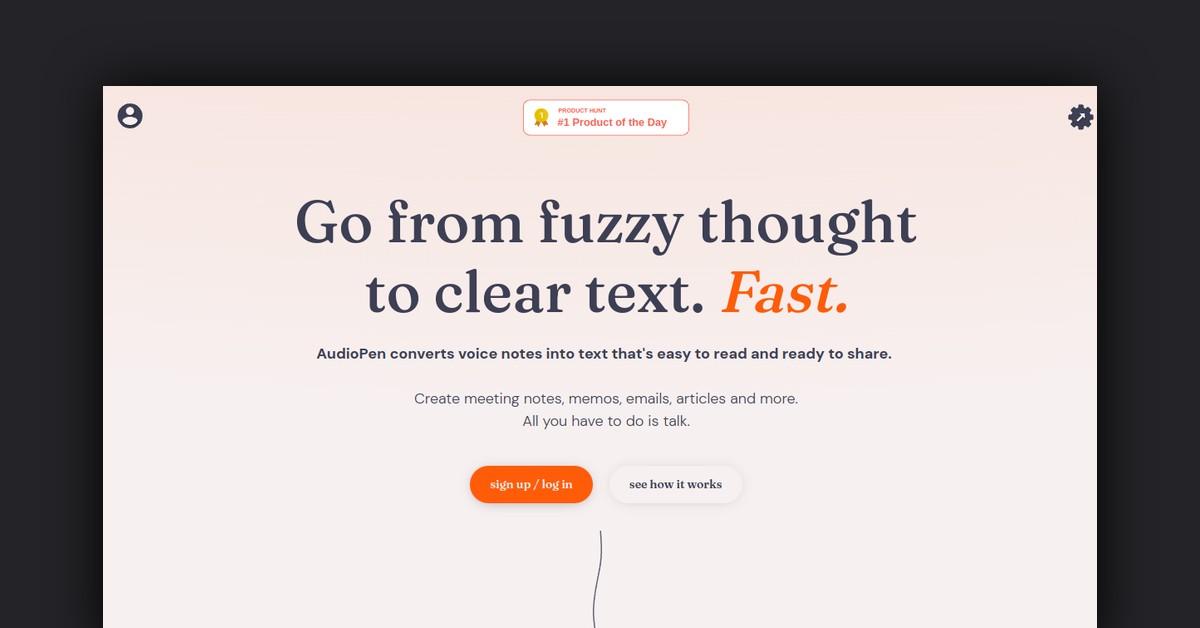
In the fast-paced digital world, where ideas need to be captured and shared swiftly, AudioPen emerges as a tool designed to streamline the process of converting spoken thoughts into clear, organized text. By enabling users to transform their voice notes into readable text, AudioPen simplifies the creation of meeting notes, memos, emails, articles, and more. Its user-friendly interface and ease of use make it an essential tool for professionals and creatives alike.
How Does AudioPen Work?
AudioPen operates by capturing voice inputs and transcribing them into text. This process involves the use of advanced algorithms that convert audio files into text, which can be further edited and shared. By simply speaking into the app, users can generate text that is clean and ready for distribution, eliminating the need for manual typing and enabling faster communication.
Features, Functionalities, and Benefits of AudioPen
AudioPen offers a suite of features designed to enhance productivity and streamline the transcription process. These features not only facilitate the conversion of speech to text but also offer additional functionalities that augment user experience.
- Voice-to-Text Conversion: Convert spoken words into text with high accuracy. This feature is essential for creating transcriptions for meetings and brainstorming sessions.
- Multi-language Support: AudioPen is capable of understanding and transcribing most major global languages, making it a versatile tool for international users.
- Prime Features: For subscribers, AudioPen offers additional functionalities such as uploading audio files, downloading audio from voice notes, and typing notes for summarization.
- Cross-Device Access: Users can access their AudioPen Prime account from any device, ensuring that their notes are synchronized and accessible wherever they are.
Use Cases and Potential Applications
AudioPen serves various purposes across different domains, making it a flexible tool for both personal and professional use. Here are some potential applications and use cases:
- Business Meetings: Capture meeting conversations and convert them into minutes or summaries, ensuring that no critical points are missed.
- Creative Writing: Writers can use AudioPen to jot down ideas quickly and organize them into coherent text.
- Education: Students and educators can transcribe lectures or personal study notes, aiding in better understanding and retention of information.
- Content Creation: Bloggers and content creators can use AudioPen to draft articles or scripts by speaking, which can then be edited and refined.
Who Is AudioPen For?
AudioPen is designed for a diverse audience seeking to improve their productivity through efficient transcription services. This includes:
- Business Professionals: Individuals who need to document meetings, create reports, or manage communication effortlessly.
- Writers and Creatives: Those who require a tool to capture spontaneous ideas and thoughts without interrupting their creative flow.
- Students and Educators: Users in educational settings who need to transcribe lectures or prepare study materials.
- Content Creators: Bloggers, podcasters, and YouTubers who need to draft and organize content swiftly.
Is AudioPen Free? Is There a Free Trial?
AudioPen provides a free version that allows users to experience its basic functionalities, giving them a taste of what to expect before committing to a Prime subscription. This trial period helps users determine if the tool meets their needs before making a purchase.
Support and Customer Service
AudioPen offers robust support to ensure users have a seamless experience. For any issues or inquiries, users can reach out via email at hello@audiopen.ai. Additionally, the website offers a troubleshooting section and FAQs for quick resolutions to common problems.
Frequently Asked Questions
AudioPen addresses several common queries to assist users in maximizing their experience with the app:
- What if the app doesn’t record? Ensure that microphone access is enabled in your device settings.
- Why doesn’t my account show as upgraded after purchasing Prime? This may occur if you were not signed in during the upgrade. Contact support for assistance.
- Can I upload audio files? Prime users can upload up to 100 audio files every four weeks, with each file being a maximum of 25MB.
- Does AudioPen work in multiple languages? Yes, it supports most major global languages.
Useful Links and Resources
For further exploration and information, users can access the following resources:
AudioPen stands out as a versatile tool for converting voice to text, making it an invaluable resource for individuals and professionals seeking to enhance their productivity and communication.
Last Updated: