

Takeaways
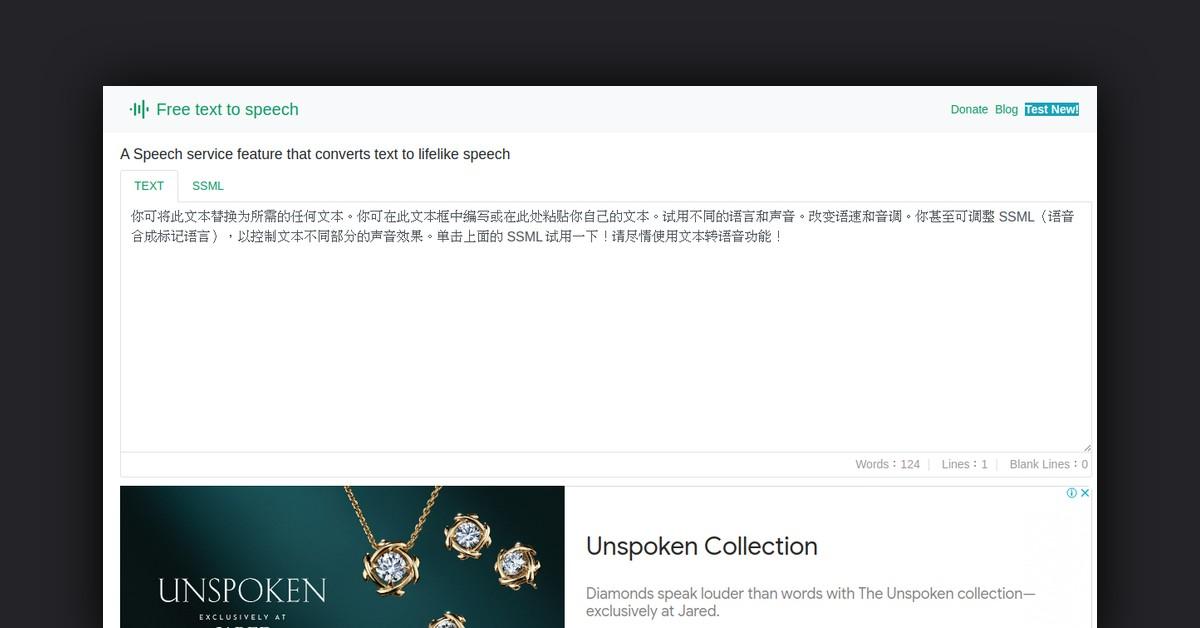
- The Free Text-To-Speech Online Converter uses AI to turn text into lifelike speech with customizable options.
- It leverages Microsoft AI speech library and neural networks for realistic voice outputs.
- Key features include multilingual support, fine-tuned controls, and customizable voice options.
- The tool is versatile, serving accessibility, e-learning, customer service, and content creation needs.
- Support includes email assistance and privacy guidelines, with full browser and mobile compatibility.
Overview
In the digital age, converting written text into spoken words has become a valuable tool for enhancing accessibility and user experience. The Free Text-To-Speech Online Converter is a cutting-edge platform that transforms text into lifelike speech using advanced AI technologies. This service is designed to cater to a variety of needs, from personal use to business applications, offering customizable and realistic voice outputs that mimic human emotions and intonations.
How Does It Work?
The Free Text-To-Speech tool leverages the powerful Microsoft AI speech library to create high-quality audio outputs. This service uses neural networks to produce speech that closely resembles human voices. By incorporating various reading styles and emotional expressions, the tool ensures that the synthesized speech aligns with the context of the content.
- Neural Networks: These are employed to synthesize speech, ensuring natural and smooth vocal outputs.
- Reading Styles: The tool supports diverse styles such as newscasts, customer service interactions, and even expressions like shouting or whispering.
- Emotional Range: Users can infuse emotions like happiness and sadness into the speech, making it more relatable and engaging.
What Are All the Features, Functionalities, and Benefits?
The Free Text-To-Speech service is packed with features that provide users with flexibility and control over their audio outputs. These features are designed to cater to a wide range of applications, enhancing both functionality and user experience.
- Realistic Synthesized Speech: Delivers smooth, natural-sounding audio that mirrors human intonation and emotions.
- Customizable Voice Options: Users can create a unique AI voice that aligns with their brand’s identity.
- Fine-Tuned Controls: Adjust speech rate, pitch, articulation, and pauses to optimize the speech output for specific scenarios.
- Multilingual Support: Access over 330 neural network voices in 129 languages and variants, reaching a global audience.
What Are the Use Cases and Potential Applications for It?
This versatile text-to-speech tool can be applied across various domains, providing solutions tailored to specific needs. From accessibility to enhancing user engagement, its applications are plentiful.
- Accessibility Tools: Enable visually impaired users to access written content through audio.
- E-Learning Platforms: Enhance the learning experience by converting educational materials into audio formats.
- Customer Service: Implement voice-enabled assistants that provide personalized customer interactions.
- Content Creation: Convert written content into engaging audio narratives for podcasts and videos.
Who Is It For?
The Free Text-To-Speech service is designed for a diverse audience, catering to personal, educational, and business needs.
- Individuals: Ideal for personal use, such as reading out articles or books.
- Educators and Students: Useful for creating audio versions of study materials and lectures.
- Businesses: Enhance customer service and content delivery through voice-enabled solutions.
- Content Creators: Transform written content into narrated audio for multimedia projects.
What Type of Support Is There?
For users seeking assistance, the platform provides multiple support channels to address queries and enhance user experience.
- Email Support: Users can contact the service provider via email for personalized assistance.
- Privacy Policy: Comprehensive guidelines on data usage and privacy, ensuring user information is protected.
What Integrations Are Available?
The Free Text-To-Speech tool is compatible with various web browsers, ensuring seamless integration and functionality across platforms.
- Browser Support: Fully supported on Chrome, Firefox, and the new version of Edge. WeChat supports playback but does not allow downloads.
- Mobile Compatibility: Recommended browsers for mobile usage include Chrome, Firefox, and Edge.
List of Useful or Important Links and Resources
For further information and to utilize the Free Text-To-Speech service, users can explore the following resources:
- Free Text-To-Speech Online
- Privacy Policy
- Contact Email
- Donation Page
This collection of links and resources provides users with easy access to the service, support, and privacy information, ensuring a comprehensive understanding and utilization of the text-to-speech tool.
Last Updated: