
Overview of FreeTTS: Convert Text to Speech Mp3 Online for Free
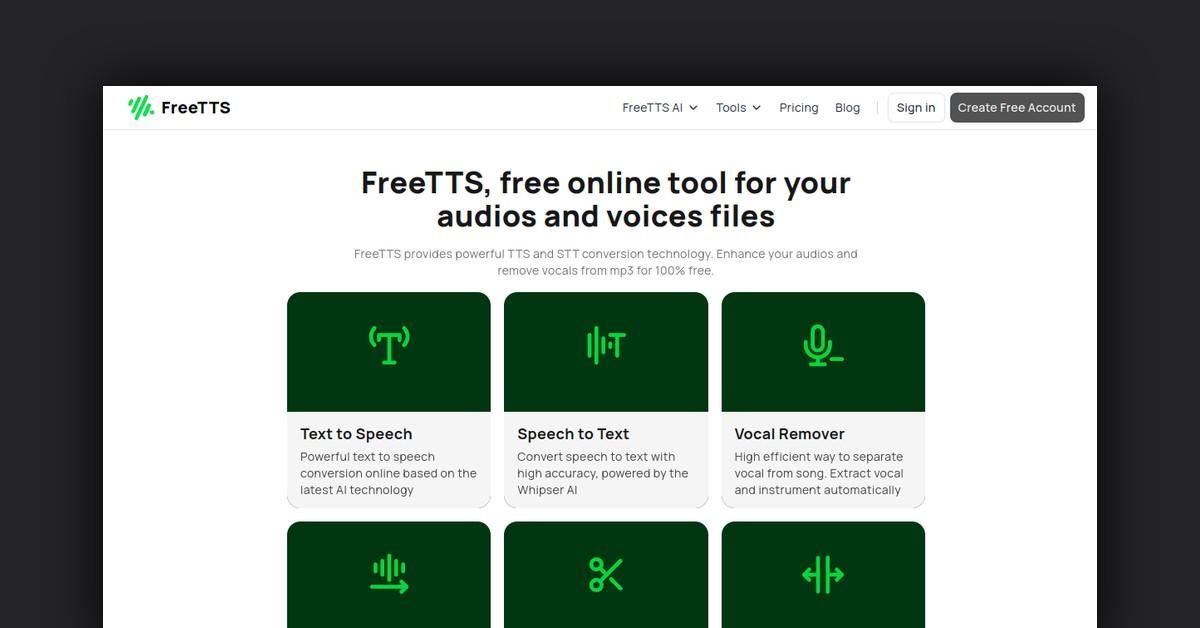
FreeTTS is a free online text to speech converter that allows you to convert text into natural sounding speech and download the audio as an mp3 file. It is powered by advanced machine learning and artificial intelligence from Google and Amazon.
With FreeTTS you can get robotic sounding voice overs for free for any purpose, including commercial use. It's a quick and easy way to add voiceovers to videos, podcasts, presentations and more.
How Does FreeTTS Work?
FreeTTS is very simple to use. Follow these steps:
- Go to the FreeTTS website
- Copy and paste or type in the text you want to convert to speech
- Select the language, voice, speech rate and tone
- Click convert to start the text to speech process
- Your mp3 file will be generated and you can listen to it and download it
The advanced AI and machine learning instantly converts the text into natural sounding speech. The whole process only takes a few seconds.
Key Features and Benefits
- 100% free - FreeTTS is completely free to use with no limits
- No registration required - Just go to the site and start using it
- Safe and secure - All files are removed after 24 hours
- Fast and easy - Get speech mp3s in seconds by copying in text
- Natural sounding voices - Advanced AI generates human-like speech
- Works offline - No internet required after downloading mp3s
- Commercial use allowed - Free even for commercial projects
- SSML support - Advanced text formatting like pausing and emphasis
- MP3 downloads - Download the speech as mp3 files to use anywhere
- 40+ languages - Huge range of languages and accents available
- Voice customization - Change voice speed, tone, pitch and more
Use Cases and Applications
FreeTTS can be used for:
- Voiceovers for videos
- Podcasts and audio books
- Presentations and online courses
- Voice assistants and chatbots
- Text to speech for the visually impaired
- Website and video accessibility
- Proof listening to documents and transcripts
- Automated phone systems
- Text analysis and pronunciation practice
- Language learning and translation
- Prototyping voice interfaces
- Game dialogue and character voices
Any application where you need to convert text into natural sounding speech can benefit from FreeTTS. The ability to get free voice overs makes it easy to add voice to a wide range of projects.
Who is FreeTTS For?
FreeTTS can provide value to:
- YouTubers and vloggers - Easily add professional voiceovers to videos
- Podcasters - Generate automated audio versions of blog posts
- Developers - Add voice interfaces to products faster and cheaper
- Educators - Improve accessibility of online lessons and content
- Students - Use for assignments and language learning
- Small business owners - Create audio content for marketing
- Bloggers - Convert blog posts into podcasts and audiobooks
- Agencies - Quickly prototype voice interfaces for clients
- Anyone - People with vision impairments can benefit from TTS
What Type of Support is Available?
FreeTTS offers email support. Just email support@freetts.com for any issues. Response time is usually within 24 hours.
Paid plans also come with priority email support.
Integrations and API
FreeTTS does not currently offer any integrations or API access. It is only available through the website interface. However, supporting an API is on the roadmap for future development.
What Are Customers Saying?
FreeTTS has over 5,000 positive reviews online. Customers consistently mention how easy it is to use and the high quality of the voices generated. Many say it saves them huge amounts of time and money versus hiring voice actors.
Frequently Asked Questions
Is it safe to use?
Yes, FreeTTS does not store any user data or text. All files are deleted after 24 hours. There are no privacy concerns.
How many characters can I convert?
The free plan allows up to 1000 characters per week. Paid plans unlock up to 1 million characters per month.
Can I use it for commercial purposes?
Yes the voices are free for commercial use as they are computer generated. Just stay under the free character limit.
What languages and voices are supported?
40+ languages are supported including English, Spanish, French, German and more. There are male and female voice options for most languages.
Can I customize the voices?
Yes, you can adjust the speaking speed, pitch, tone and more. SSML tags also allow you to add pauses, phonetic pronunciations, etc.
Last Updated: