

Takeaways
- MiniMax Audio offers text-to-speech, music creation, and voice cloning capabilities.
- It supports multiple languages and provides over 300 voices.
- The platform is useful for audiobooks, podcasts, and video voiceovers.
- Ideal for content creators, educators, marketers, and developers.
- A free trial is available, along with API integration options.
Overview of MiniMax Audio
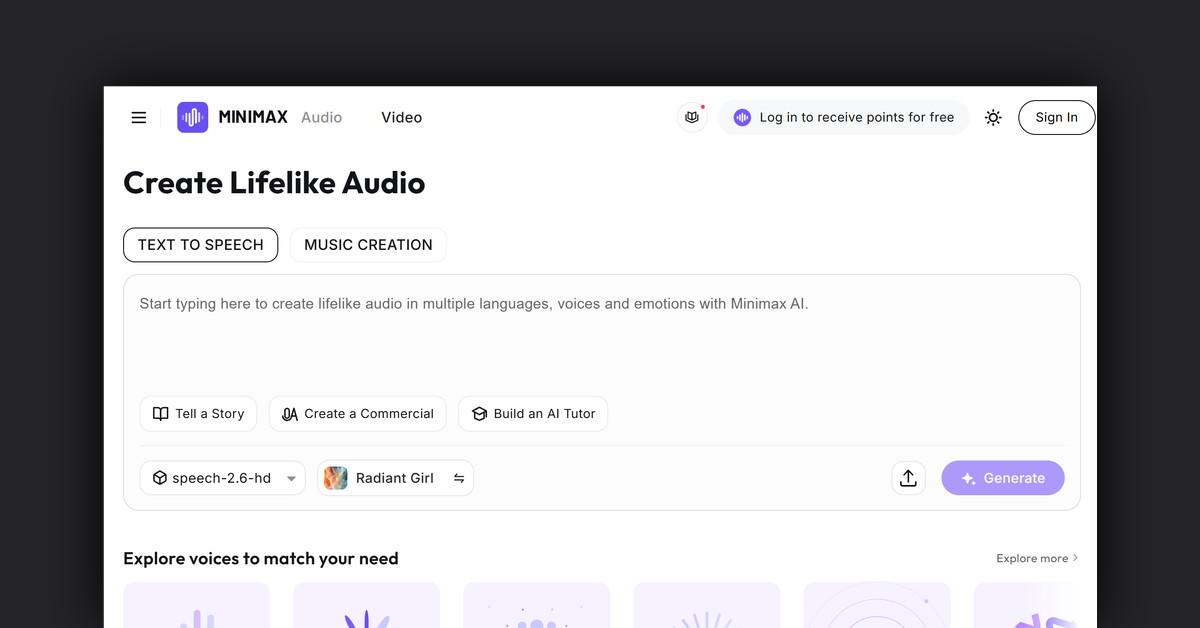
MiniMax Audio is an advanced AI-powered audio generation tool designed to create lifelike speech and music. It offers a variety of functionalities, including text-to-speech conversion, music creation, and voice cloning. This platform is particularly useful for those seeking to enhance their projects with high-quality audio, whether it’s for storytelling, commercial production, or educational purposes.
How Does MiniMax Audio Work?
MiniMax Audio utilizes cutting-edge AI technology to transform written text into natural-sounding speech and create music that fits various themes and styles. Users can input text and select from a vast library of voices to generate speech that suits their needs. The platform also allows for voice cloning, enabling users to create a custom voice model from just a few seconds of audio input.
Features, Functionalities, and Benefits
MiniMax Audio is packed with features that make it versatile and user-friendly for various audio needs. Here are some of the key functionalities and benefits:
- Text-to-Speech (TTS): Quickly converts text into natural, fluent speech. Supports multiple languages and allows customization of voice effects through adjustable audio parameters.
- Voice Cloning: Create a custom voice model with just 10 seconds of audio input, offering fast and accurate voice replication.
- Official Voice Library: Access to over 300 voices in 50+ languages and accents, catering to a wide range of styles and age groups.
- Music Creation: Generate music in various genres, including Electronic, R&B, Pop, Jazz, Country, and Blues.
Use Cases and Potential Applications
MiniMax Audio serves a wide array of applications across different industries and purposes:
- Audiobooks and Podcasts: Create engaging audiobooks and podcasts with natural-sounding voices.
- Video Voiceovers: Enhance video content with professional-quality voiceovers.
- E-learning and Virtual Assistants: Provide clear and effective communication in educational platforms and virtual assistants.
- Commercials and Presentations: Produce compelling audio for commercials and business presentations.
Who is MiniMax Audio For?
MiniMax Audio is ideal for a diverse range of users, including:
- Content Creators: Enhance video and audio content with high-quality speech and music.
- Educators: Utilize in e-learning platforms to deliver interactive and engaging lessons.
- Marketers: Create compelling advertisements and presentations with lifelike audio.
- Developers and Tech Enthusiasts: Integrate advanced audio features into applications and projects.
Is There a Free Trial?
Yes, MiniMax Audio offers a free trial with five text-to-speech conversions to experience its features before committing to a subscription.
Integrations and API Availability
MiniMax Audio provides an API for seamless integration into various applications, allowing developers to leverage its powerful audio capabilities within their own systems.
Frequently Asked Questions
- How do I start using MiniMax Audio?
- Simply navigate to the text-to-speech page, input your text, and select generate to create audio files.
- Can I customize the voices?
- Yes, users can adjust voice parameters to achieve the desired effect.
- Is multilingual support available?
- Yes, MiniMax Audio supports multiple languages, making it accessible for a global audience.
Useful Links and Resources
Last Updated: