

Takeaways
- Otter.ai automates note-taking by providing real-time transcriptions and summaries during meetings.
- It integrates with popular video conferencing tools for seamless operation, enhancing productivity.
- The app supports various professional needs, offering features like action item assignment and AI chat.
- It is versatile, benefiting industries such as business, education, sales, and media with tailored applications.
- Multiple pricing plans are available, from a free basic plan to customizable enterprise solutions.
Overview of Otter.ai: Revolutionizing Meeting Transcriptions
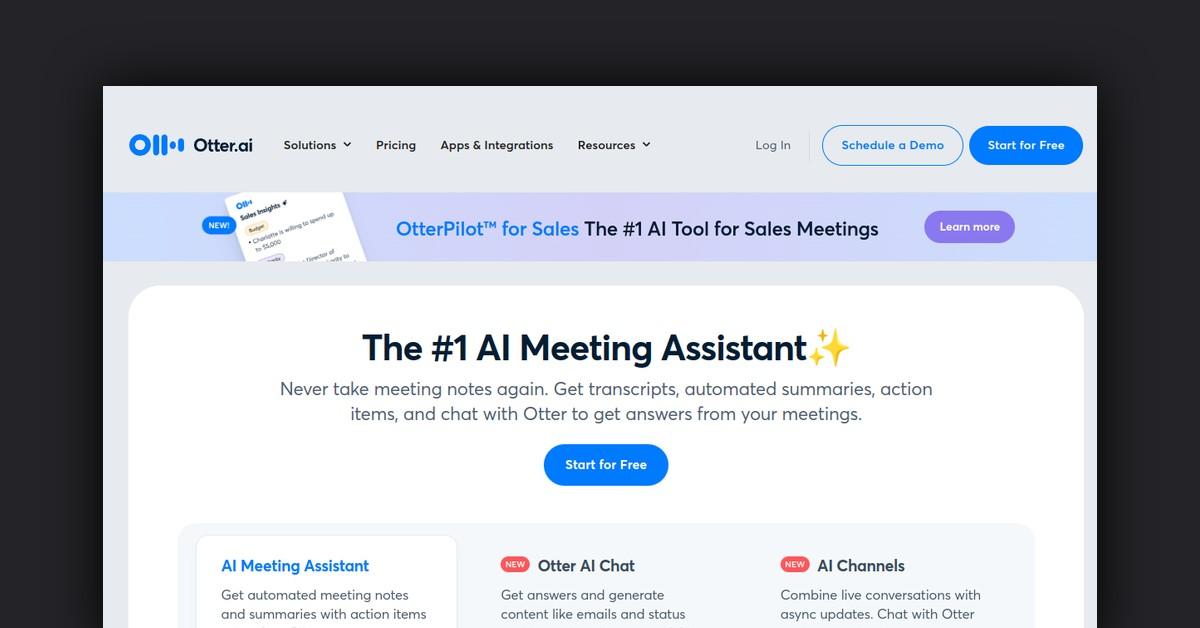
In today’s fast-paced digital environment, staying on top of meetings and capturing every detail can be challenging. Enter Otter.ai, an innovative AI-powered meeting assistant designed to automate note-taking and transcription. This tool is not only a game-changer for individual professionals but also for teams across various industries. With Otter.ai, users can receive real-time transcriptions, automated summaries, and action items, ensuring they never miss a beat in any meeting.
How Otter.ai Works: Streamlining Meeting Processes
Otter.ai operates by seamlessly integrating with popular video conferencing tools like Zoom, Google Meet, and Microsoft Teams. It automatically joins these virtual meetings to record and transcribe conversations in real-time. The AI-driven OtterPilot feature enhances productivity by providing live summaries and capturing essential meeting slides. This allows participants to focus on the discussion rather than being distracted by note-taking.
Comprehensive Features and Benefits of Otter.ai
Otter.ai offers an array of features that cater to different professional needs. Its functionalities are designed to enhance productivity and ensure no critical information is lost during meetings.
- Real-Time Transcription: Automatically transcribes meetings, providing a written record of the discussion.
- Automated Summaries: Generates concise summaries of meetings, highlighting key points and action items.
- Otter AI Chat: Facilitates easy communication, allowing users to ask questions and generate content like emails and status updates during meetings.
- Action Item Assignment: Automatically identifies and assigns tasks to team members, streamlining workflow and ensuring accountability.
- Integrations: Seamlessly integrates with tools like Slack, Salesforce, and HubSpot, keeping all your meeting data synchronized across platforms.
Use Cases and Applications of Otter.ai
Otter.ai is versatile, serving a broad range of industries and use cases. Its applications are particularly valuable in business, education, sales, media, and more.
- Business Meetings: Enhances productivity by providing automated notes, summaries, and action items, allowing teams to stay aligned.
- Educational Settings: Offers real-time captions and notes for lectures, making learning more accessible and inclusive for students.
- Sales Teams: Extracts valuable sales insights and automates follow-up emails, allowing sales professionals to focus on closing deals.
- Media Production: Supports content creation by providing accurate, real-time transcriptions of interviews and events.
Who Benefits from Otter.ai?
Otter.ai is designed for a diverse audience, making it a valuable tool for professionals, educators, and students alike.
- Business Professionals: Streamlines meeting processes and enhances team collaboration.
- Educators and Students: Provides tools for accessible learning and efficient note-taking.
- Sales Teams: Facilitates better customer interactions and improves efficiency in sales processes.
- Media Personnel: Aids in capturing and organizing content efficiently, saving time on transcription tasks.
Plans and Pricing: Finding the Right Fit
Otter.ai offers several pricing tiers to cater to different user needs, from individuals to large enterprises.
- Basic Plan: Free, includes real-time transcription with a limit of 300 monthly transcription minutes.
- Pro Plan: $16.99 per user/month, billed monthly, offering enhanced features for small teams.
- Business Plan: $30 per user/month, billed monthly, designed for teams needing greater productivity.
- Enterprise Plan: Custom pricing with advanced security and support for large organizations.
Available Integrations: Enhancing Workflow
Otter.ai integrates with a variety of tools to enhance workflow and ensure seamless operations. These integrations include:
- Slack: Automatically shares meeting notes and summaries in Slack channels.
- Salesforce and HubSpot: Syncs notes and sales insights directly to these platforms.
- Google Meet and Zoom: Joins meetings automatically to provide live notes and captions.
Customer Feedback: What Users Are Saying
Users of Otter.ai have praised its ability to capture audio accurately and improve productivity. Reviews highlight the ease of use, accuracy of transcriptions, and how the tool has become an essential part of their workflow. Many appreciate the automated features that allow them to focus on discussions without the distraction of manual note-taking.
Useful Links and Resources
For more information on Otter.ai, explore the following resources:
- Otter.ai Homepage
- Help & Support
- Blog for updates and tips
Otter.ai is a powerful tool that simplifies the process of capturing and managing meeting content, making it an indispensable resource for professionals across various fields.
Last Updated: