

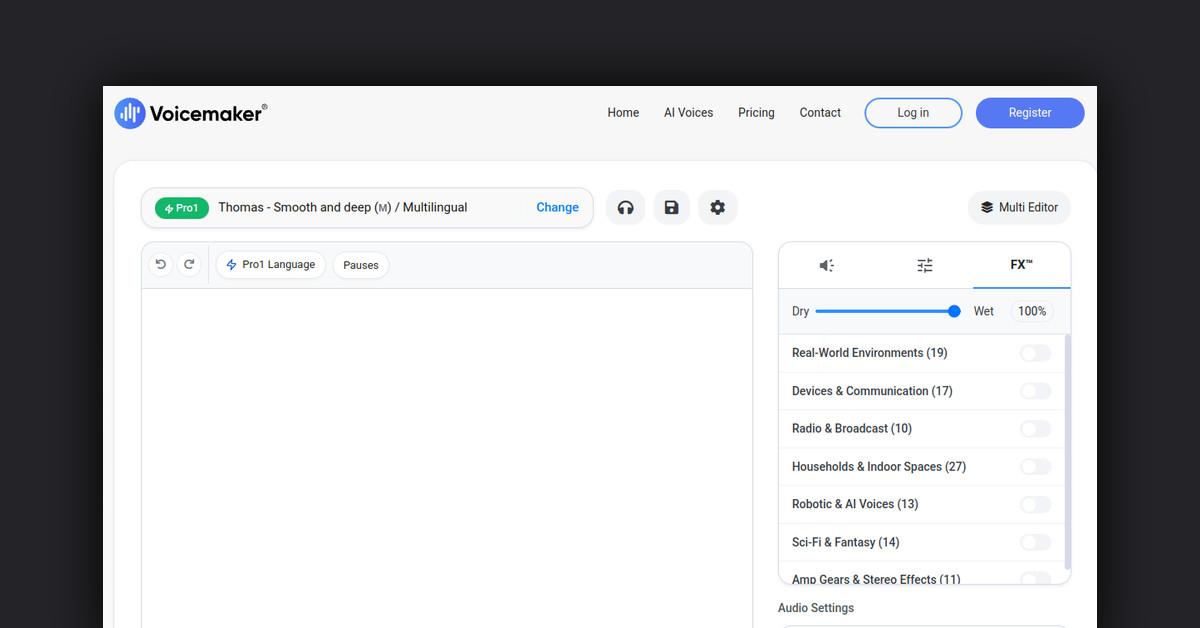
Overview
Voicemaker is a text-to-speech platform that converts text into human-sounding voice audio using advanced AI. It offers customizable voice profiles, effects, pauses, speed control and more.
How Does It Work?
- Upload text or enter text into Voicemaker
- Customize voice profile, effects, speed, pitch etc
- Generate high-quality voice audio files in MP3 or WAV format
- Download files or integrate via API
Features and Benefits
Voice Customization
- 100+ voice profiles to choose from
- Customizable speed and pitch
- Volume control
- Emphasis and pause control
- Accents and voice effects
Audio Format Options
- Output as MP3 or WAV
- 8 sampling rate options from 16000 Hz to 48000 Hz
Use Cases and Applications
- Audiobooks
- Podcasts
- YouTube videos
- E-learning courses
- Sales videos
- Call centers
- IVR systems
- Mobile apps
- Website audio
Who is it For?
- Content creators
- Developers
- E-learning businesses
- Marketing agencies
- Customer support teams
- Automated phone systems
Pricing Plans
- Free Plan - 2 voice profiles, 100K characters per month
- Plus Plan - 10 voice profiles, 1M characters per month
- Pro Plan - 25 voice profiles, 3M characters per month
Is There a Free Version?
Yes, Voicemaker offers a free plan with 2 voice profiles and 100K characters per month.
Support Options
- Knowledge base
- Email support
- Priority phone support (Pro plan)
Integrations
- REST API
- JavaScript SDK
- WordPress Plugin
Reviews From Users
Positive reviews mention:
- Human-sounding voice quality
- Easy to use editor
- Reliable uptime
- Good value
Frequently Asked Questions
Useful Links
Last Updated: