
Overview of Whisper Memos - An AI-Powered Voice Memo Transcription App
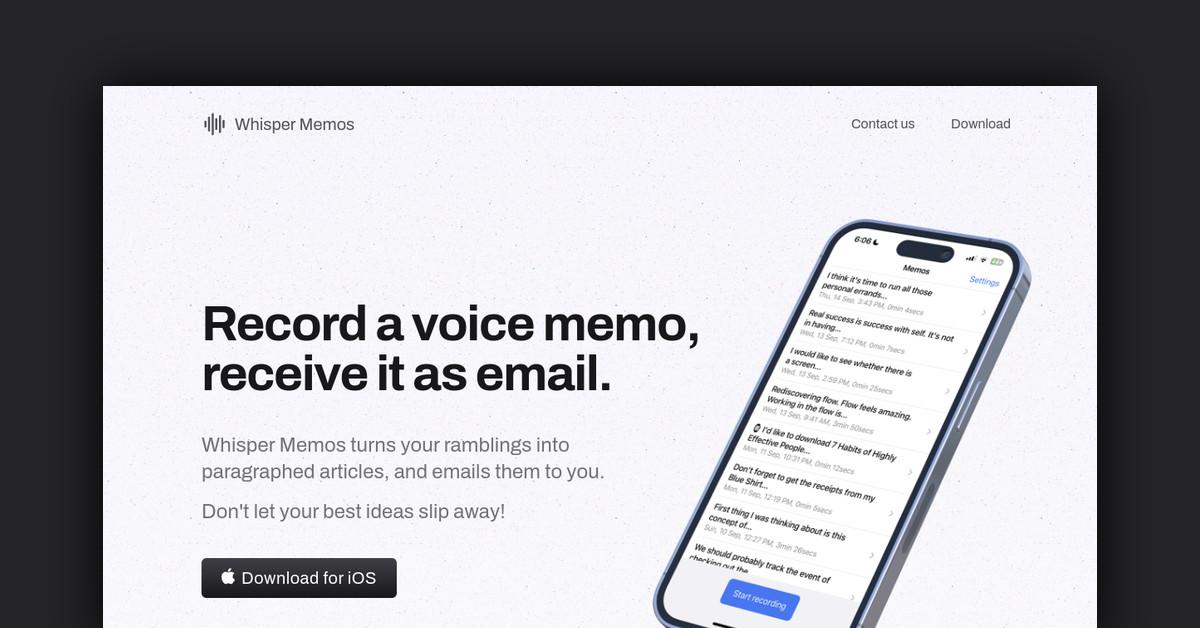
Whisper Memos is an iOS app that uses AI to transcribe voice memos into text. Users can record voice memos on their phone and have them automatically sent as email transcripts. It's perfect for quick thoughts, reminders, journaling, and more.
How Does Whisper Memos Work?
The Whisper Memos app uses advanced AI technology to listen to your voice memos and convert them into text. Here's how it works:
-
Record a voice memo directly in the Whisper Memos app. You can record memos of any length.
-
The app uploads the audio file to Whisper's servers.
-
Whisper's proprietary AI technology analyzes the audio file and generates an accurate text transcript.
-
The text transcript is automatically emailed to you. You can also access transcripts in the app.
Key Features and Benefits
-
Accurate voice-to-text transcription - Whisper's AI achieves over 95% accuracy in converting speech to text.
-
Receive transcripts via email - Get your memo transcripts delivered right to your inbox. Easily search and organize them.
-
Access transcripts in the app - View all your memo transcripts directly in the Whisper Memos app.
-
Voice memos of any length - Record quick notes or long thoughts. Whisper handles short and long recordings with equal accuracy.
-
Simple and intuitive interface - Quickly record, play back, and share voice memos. The app is designed for ease of use.
Use Cases and Applications
Whisper Memos can be used in many ways:
-
Journaling - Record daily thoughts and reflections and have them sent as written entries.
-
Note-taking - Use Whisper to take audio notes in meetings or lectures and receive transcripts.
-
Reminders - Record reminders for errands, tasks, and events. Get the reminders as text via email.
-
Dictation - Speak freely and get your words down accurately in text form.
-
Accessibility - People with disabilities can use Whisper to dictate messages.
Who is Whisper Memos For?
Whisper Memos is useful for:
- People who want to journal or take notes by voice
- Those who need accurate voice-to-text dictation
- People with disabilities that make typing difficult
- Anyone who needs an easy way to create text reminders from voice
- People who want to quickly capture thoughts and ideas on the go
Plans and Pricing
Whisper Memos is currently free to download and use. It is ad-supported. There are no subscriptions or in-app purchases required.
The company plans to offer a paid subscription in the future that would remove ads and enable additional features.
Getting Started with Whisper Memos
Whisper Memos is free to download and use. To get started:
-
Download the Whisper Memos app from the iOS App Store.
-
Allow the app to access your microphone and contacts.
-
Record your first voice memo in the app.
-
Have the transcript emailed to you automatically.
The app also provides an onboarding tutorial on first use.
Customer Reviews
Whisper Memos has a 4.8 out of 5 star rating in the App Store based on over 500 reviews. Users praise its accuracy, intuitive interface, and usefulness for quick voice notes. Negative reviews mostly focus on minor bugs.
FAQs
Does Whisper Memos work offline?
No, you need an internet connection to use Whisper Memos. It transcribes your voice recordings in the cloud.
What languages does it support?
Currently, Whisper Memos only supports English transcripts. Support for Spanish and other languages is coming soon.
Is my data secure?
Yes, Whisper uses industry-standard encryption to protect user data and privacy. Voice recordings are deleted after transcription.
Does it work well with accents?
Whisper is constantly improving its speech recognition engine. It currently works best with standard American and British accents but continues to expand support for diverse accents.
Useful Links
Last Updated: